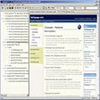
Organize, sync, and edit thousands of bookmarks effortlessly with flexible folder management
Organize, sync, and edit thousands of bookmarks effortlessly with flexible folder management
Pros
- Highly customizable folder-based organization
- Small file size and low memory usage
- Easy-to-use, intuitive interface
- Built-in text editor for notes and memos
- Supports exporting and importing bookmarks
Cons
- No built-in cloud syncing
- Text editor lacks advanced formatting options
- Interface may appear dated compared to newer software
Virtual bookmark manager with advanced organization and text editing features
Overview of Compass
Compass is a Windows-based virtual bookmark manager designed to help users organize, monitor, and access their web bookmarks efficiently. Having been established in the late 1990s, Compass stands out for its streamlined design, lightweight performance, and approachable interface, making it suitable both for beginners and users with a large collection of links.
Organizational Features
One of Compass's core strengths lies in its hierarchical folder system. Bookmarks can be grouped, sorted, and nested within custom folders, allowing users to maintain an orderly structure regardless of the number of saved links. This system supports personalized ordering, which speeds up the process of locating specific bookmarks. The ability to customize the order and grouping is particularly useful for those who frequently manage an extensive list of resources.
Cross-Device Sharing
Compass offers options for sharing bookmark collections across multiple devices. This means users can export their organized bookmarks and import them onto other computers, benefiting those who work in multi-device environments or wish to maintain consistency between home and office systems. Although Compass does not include a cloud syncing feature by default, its straightforward export/import tools provide a practical offline solution.
Lightweight and User-Friendly Design
With a file size under 1 MB, Compass requires minimal system resources. Its simple and intuitive interface makes navigation and bookmark management accessible, even for individuals less familiar with organizational apps. The design focuses on efficient performance without unnecessary visual clutter.
Built-In Text Editor
Beyond bookmark management, Compass includes a basic text editing tool. Users can draft memos, record journal entries, or write reminders directly within the program. While it does not offer the breadth of dedicated word processors, this integrated feature adds an extra level of productivity for quick note-taking alongside bookmark curation.
Capacity and Performance
Compass is built to handle substantial bookmark collections, with support for organizing over a thousand bookmarks. Despite the large capacity, the program maintains rapid performance, ensuring that searching, sorting, and editing bookmarks does not slow down as the collection grows.
Recent Fixes and Updates
Updates to Compass have focused on bug resolution and fine-tuning the overall experience. Ongoing maintenance has ensured stability, with fixes resulting in fewer errors and improved reliability.
Pros
- Highly customizable folder-based organization
- Small file size and low memory usage
- Easy-to-use, intuitive interface
- Built-in text editor for notes and memos
- Supports exporting and importing bookmarks
Cons
- No built-in cloud syncing
- Text editor lacks advanced formatting options
- Interface may appear dated compared to newer software